
Get the new Sonic Fusion app, free!

April 15, 2013 – 2:41 pm

iphone5_linesettingsIf you’ve got an iPhone, we’ve got an app for you!

The new Sonic Fusion Mobile app for iPhone will alert you when someone leaves you a voicemail, providing easy message playback while you are on the go. The app also offers access to line settings, including call forwarding. This makes it easy to forward your Fusion line to your mobile phone or another destination, even when you’re already away from home or the office.

The app is free, just go to sonic.net/fusionapp from your iPhone’s Safari browser to install it now.

For Fusion voicemail notifications, be sure to allow notifications when you start the app. When setting up the app for the first time, you will need to be at the location where your Fusion service is delivered to authenticate the line.

To address the obvious question, “What about Android?”: We plan to see how much interest there is in the app for iPhone before we commit to development for the Android platform. If it is very popular, we are likely to commit to Android support too.


Sonic.net Fusion adds unsolicited call blocking

October 26, 2012 – 10:24 am

I am very pleased to announce our latest free Fusion Phone feature:

Unsolicited Telemarketing Call Blocking!

This has been one of our most frequently requested features. With our new unsolicited telemarketing call blocking feature, calls from known unsolicited telemarketing callers are silently rejected, saving our members time and frustration. This feature will not eliminate all of the annoying unsolicited calls, but it should reduce the number of unsolicited telemarketing calls that our members receive.
For members who prefer not to participate in this blocking, this feature can be configured in our Member Tools, in the Voice settings. Here are the details on that:
Voice options:
You can manage your Fusion phone line features such as call blocking, voicemail, call waiting and forwarding, plus view usage details. Here is a list of the Fusion voice features and settings which you can manage online:
  • Voicemail settings
  • Call waiting configuration
  • Caller ID blocking
  • Anonymous call rejection (new!)
  • Unsolicited telemarketing call filtering (new!)
  • International toll call blocking
  • Call forwarding

To access Fusion voice settings, visit the Voice section of the Member Tools. Once there, select the telephone number of the Fusion line you would like to configure. If you decide to make any changes, be sure to click “Update” to save the new configuration.

Customer Forum:
If you have questions about using these features or about Fusion telephone service in general, please click to visit our Voice Forum.
Please tell a friend!
As you have probably noticed, your Fusion service gets better as we grow. Membership growth is the key, so I am asking for your assistance: please tell a friend or neighbor about Fusion today.
The Fusion vision is to build the ideal service: fast unlimited broadband with strong privacy policies, plus unlimited phone service and lots of features included free. Thank you for your support as we continue to work to make our vision a reality.

Sincerely,

Dane Jasper
CEO & Co-Founder
Sonic.net/Sonic Telecom

P.S.: We also really appreciate your shout-outs, likes and follows on Facebook andTwitter!

Fusion Free Borderless Calling Expansion (sorry, Antarctica!)

October 9, 2012 – 8:14 pm

Late last year, we launched  “Borderless Calling” for Fusion, with eight total hours of free calls to Canada. We chose Canada because it was our most popular international destination, and this has saved our Fusion members a ton of money on their monthly bills over the last year.

We are now expanding free calling beyond North America, to the top call destination on every continent!

For each continent*, we tallied our Fusion members’ top international destination, and added the most-called country on each continent* to our free Borderless calling list. (Go ahead, click the asterisk. I know you want to. I’ll wait.)

Fusion Borderless Calling now includes eight total hours of free calls to land line telephones in six countries plus four territories. (Calls to mobile phones are still toll calls, except in the US, Canada and the US territories. See international rates for full details.)

Fusion Borderless Calling now includes:

  • Canada
  • United Kingdom
  • Japan
  • Australia
  • Brazil
  • South Africa

Fusion already includes free unlimited calling to all 50 US states, plus US territories:

  • Puerto Rico
  • Guam
  • US Virgin Islands
  • American Samoa
   

As Fusion membership grows, we will continue to add more features, including more free Borderless calling destinations. So please, tell a friend about Fusion unlimited broadband and phone service, now with free Borderless Calling to ten international destinations, all for only $39.95/mo.

Thank you for being a Sonic.net Fusion customer!

The fine print:

For full international call pricing and to look up a rate, see the international rate table.

All calling features for Fusion service are limited to interactive use by our members. You may not re-sell or share the service. For details, see: use provisions.

* Apologies to the roughly 3,687 scientists and staff at the various Antarctic research stations, and even deeper apologies to the 964 who typically stay through the long and isolated winter. I imagine you would really appreciate a call from one of our friendly Fusion members. But, your telephone service is all satellite delivery, so I am going to pretend that you aren’t really a continent. From the perspective of free Fusion Borderless calls to land lines, you’re not. Sorry!

San Francisco Cabinets

July 20, 2012 – 6:44 pm

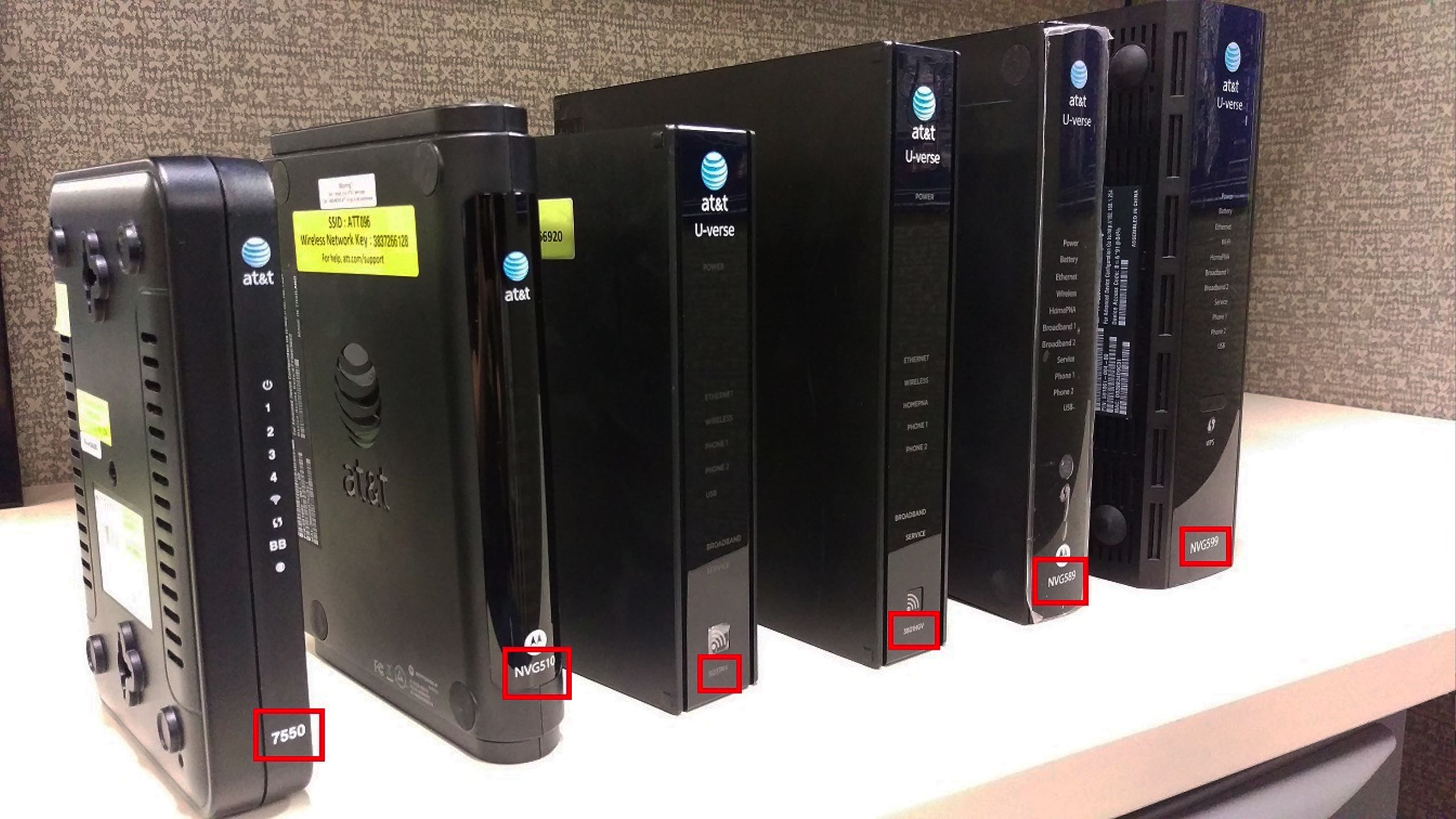
The San Francisco Business Times reports that a San Francisco judge has rejected a challenge to AT&T’s planned cabinet deployment, which will soon deliver AT&T’s U-verse broadband and television services.

I’ve written in the past in support of the infrastructure necessary for broadband service delivery, and I am heartened by this ruling that the cabinets are not subject to environmental review.

That said, cabinets can be a magnet for graffiti, and service providers should minimize their cabinet footprint while monitoring for incidents of graffiti. Cleanup must be swift when damage does occur.

Sonic.net’s own plan to deliver Gigabit Fiber-to-the-home in San Francisco is moving along, with a number of regulatory and permitting hurdles now behind us. While this project would mean around 188 additional cabinets in San Francisco, this is a lesser number than is needed for the slower copper-delivered U-verse service, so it is a lower impact project.

We are sensitive to the concerns of San Francisco residents, and will seek to minimize the visual and obstructive impact of our planned cabinet deployments. Cabinets will be monitored for graffiti, and we will establish a graffiti reporting hotline for reporting. Any graffiti found will be removed within one weekday.

We will also deliver the best possible service: Fiber-to-the-home, at full Gigabit speeds.

Improving California’s High Speed Infrastructure: Bullet Trains or Gigabits

July 6, 2012 – 11:32 pm

The state’s leadership today approved the most expensive infrastructure project ever undertaken in California, a high-speed rail project that will connect San Francisco and Sacramento with Los Angeles. The cost: $68,000,000,000.

Generally speaking, rail in the US is useless for public transportation, so I’m sure this will be a wonderful resource for those who find occasion to use it. But, it is expensive, and even proponents of high speed rail have said that the plan has some significant flaws. It certainly benefits the population centers more than the rural areas it doesn’t reach or just passes through. And, it had a budget estimate that rose to near $100B dollars before being penciled back down to it’s current sixty eight billion.

Being in a different sort of high-speed business, I wondered: what would sixty eight billion buy if we decided to invest in glass fiber instead of steel rails? Could you “visit” LA at the speed of light instead, if we had chosen to spend this amount of money differently?

Fiber infrastructure also isn’t cheap: we have found that building Fiber-to-the-premise costs $500-$2500 per premise passed, plus a few hundred in equipment per premise connected. The costs of the equipment and operation are both going down over time.

This cost data suggests that $68B would be enough to build full Gigabit Fiber infrastructure to every single one of California’s more than thirteen million homes and nearly four million business. And, there would probably be enough left over to toss in the first year of Gigabit service, free (calculated at our current rate of $69.95/mo for Gigabit access including two phone lines).

It would be correct to point out that there are a number of very rural homes that are extremely expensive to reach with fiber, so perhaps that last few thousand households might take a few extra billion. But heck, these big infrastructure projects are expected to run a little over budget, right? And, those super-rural locations certainly aren’t going to get much benefit from a train that only traverses half the state.

Now, I guess we just have to hope that they can build this fancy new train on time and on budget.

Please comment below: What would you prefer: a 220Mph train, or 1000Mbps fiber?

Reinventing the Wheel

June 22, 2012 – 11:16 am

When the Amgen Tour of California rolls into Santa Rosa, Sonic.net provides critical speed.

As a 3rd year stage sponsor, Sonic.net delivered more speed than ever before to keep up with the race production team’s needs. Uplink speed was needed most, and this year we provided our FlexLink Ethernet 30/30Mbps symmetric link. This is roughly twenty times as fast as the typical consumer upstream connection. This fast link was used to power data and video uplinks that help deliver the ToC media experience.

Rolling Broadband!

Sonic.net and the ToC Team used unconventional methods to deliver the necessary speed. Our connection had to be delivered to the on-site network, comprised of production vehicles in the middle of Mendocino Avenue.

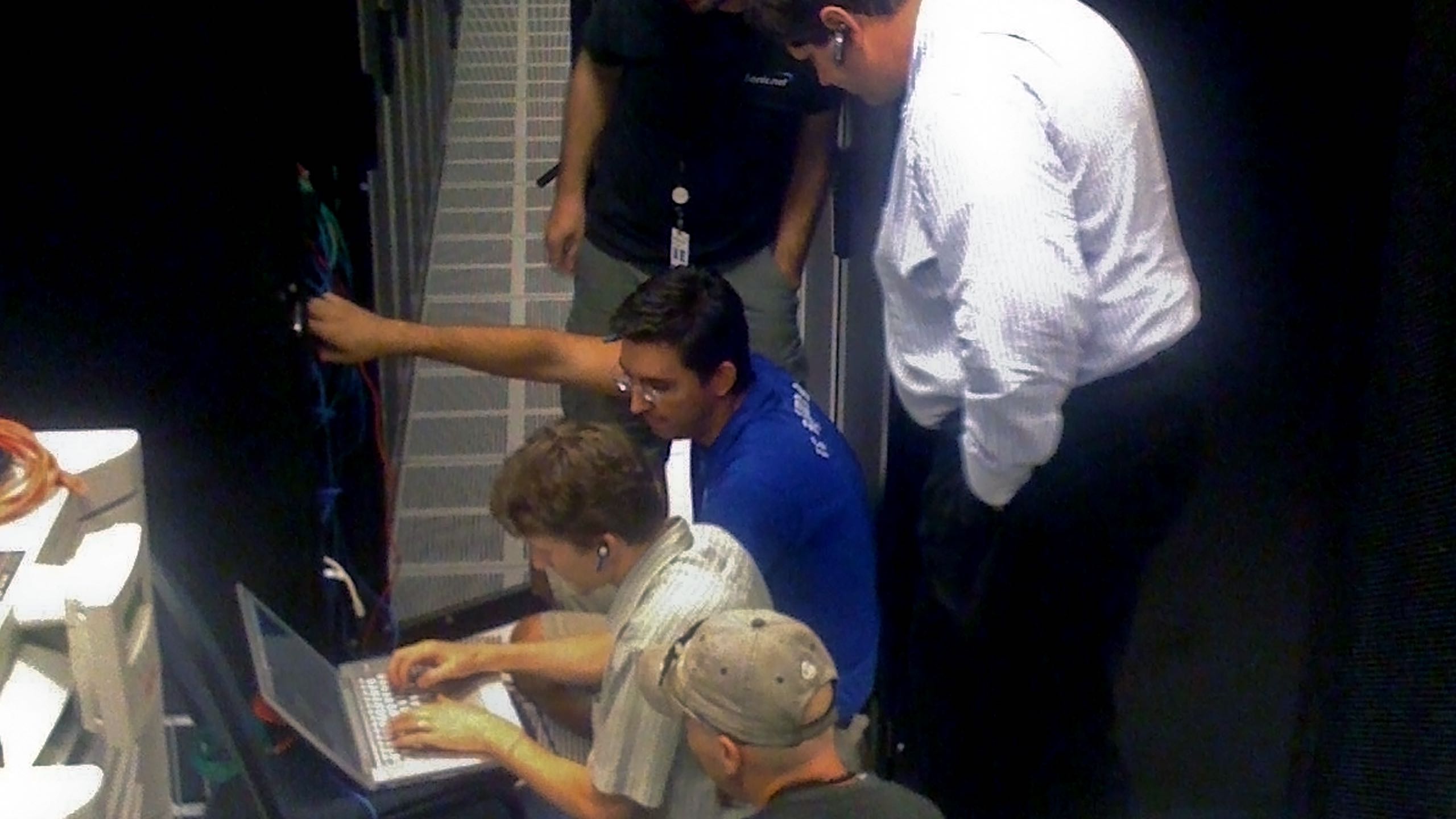
We designed a new kind of wheel for the race: a rolling Internet connection. A cable spool with onboard FlexLink Ethernet over Copper equipment was staged in the City Hall telecom room, then rolled out before dawn to the race production vehicles as they deployed.

The hub, a video production trailer, connected various vehicles for the two day event to Sonic.net’s FlexLink Ethernet link.

Sonic.net is proud to be an Amgen Tour of California stage sponsor, providing the fast Internet access to help make this event a speedy success.

Need an Ethernet link at your enterprise? Check out our FlexLink Ethernet services: sonic.net/enterprise/flexlink

For more product updates, check us out on Facebook: facebook.com/sonicnet


Broadband powered Tour of CA iPad App

The Site-LAN production hub


Death and taxes

June 13, 2012 – 11:08 am

Chart of FUSF rates from 1998 to 2012, rising from four percent to fifteen percent

The Federal Universal Service Fund fee has spent the last decade climbing upward without any apparent end in sight. This next quarter it is set to drop a little, but this isn’t an indication of a change in the overall trend: upward. A Sonic.net Fusion customer pays roughly $2.40 monthly toward the Federal Universal Service program today.

The goals of universal service are laudable. In particular, connecting schools which lack adequate broadband access and computers can only pay dividends through better education. However, the Universal Service fund and E-Rate programs have seen plenty of waste, fraud and abuse. Tens of millions of dollars have been misspent under the E-Rate program. And, three US carriers have received subsidies (pg32) of over $10,000 for every home phone line per year!

This program cannot continue to grow without an upper bound. The first two years of the FUSF program were reasonable and consistent, with a contribution factor of around 4%. Then, as the scope of the program increased, and as carriers learned how to dip deeply into the system, costs began to rise.

The FCC is working to reform the programs, with a cap on the size of the program. But, I believe we should push for rates to return to much lower levels. The reforms of the universal service system address support levels, price caps and inter-carrier billing methods. Hopefully as these changes are finally implemented, we will begin to see a more consistent rate. Reversing this chart is long overdue.

Sonic.net privacy policies recognized by the EFF

May 31, 2012 – 4:52 pm

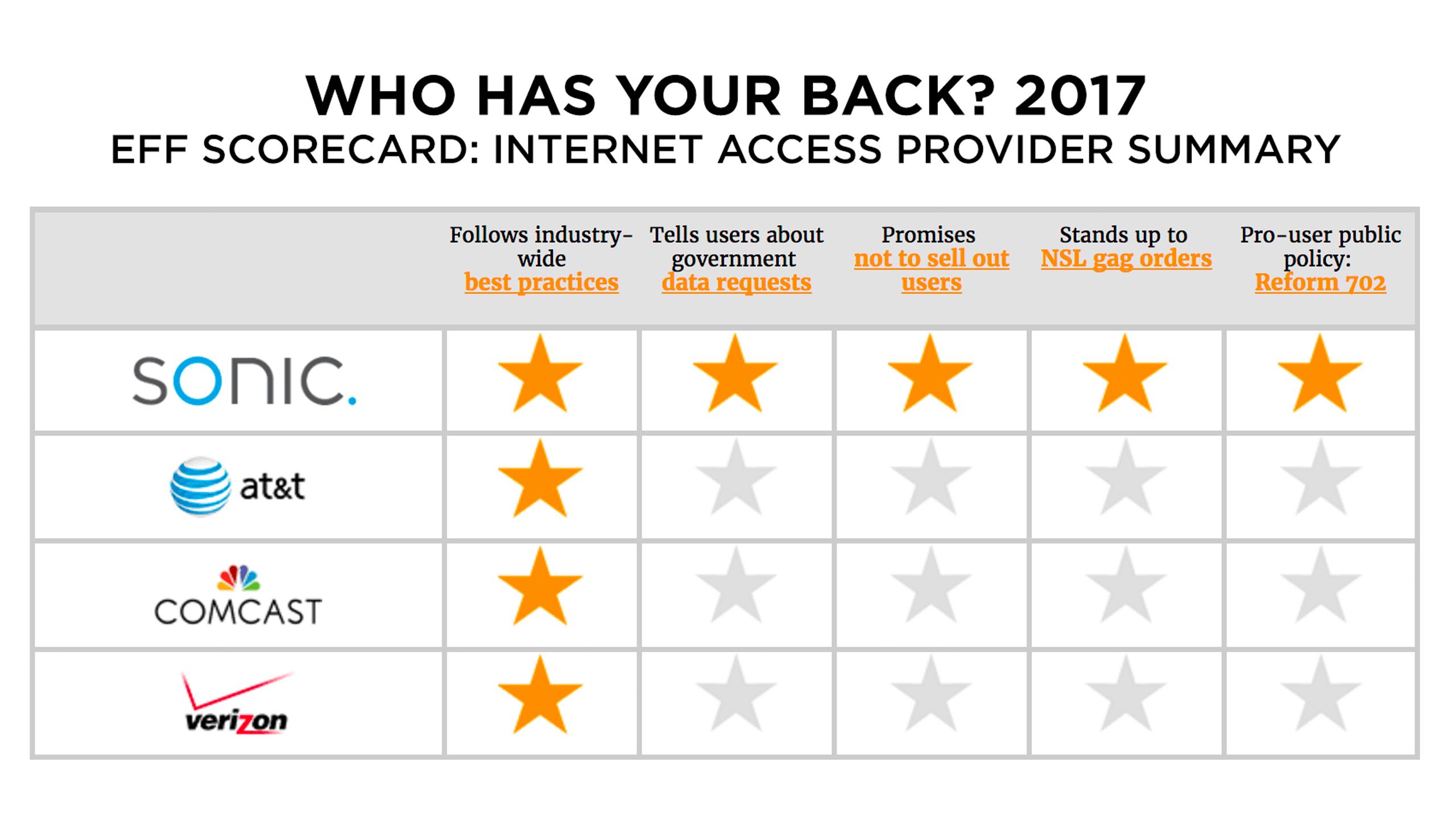
The Electronic Frontier Foundation today released their 2012 privacy report, and Sonic.net has come out with top marks.

The EFF assessed the policies of 18 leading Internet companies, including “email providers, ISPs, cloud storage providers, and social networking sites — to assess whether they publicly commit to standing with users when the government seeks access to user data.”

Customer privacy is critical in the information age. It’s far too easy for both private and government entities to overstep, and service providers are the last line of defense. Sonic.net invests time and resources in assuring the our customers are protected and informed, and we have a policy of transparency, which I believe is critical for Internet providers of all types.

The EFF wrote in their report that:

“We are especially pleased to recognize the first company to ever receive a full gold star in each of the categories measured by the privacy and transparency report: Sonic.net, an ISP based in Santa Rosa, California.”

I appreciate the notice by the EFF of our privacy practices, which I believe are the best in the Internet access industry.


Transparency Report

April 13, 2012 – 3:46 pm

Protection of customer privacy is one of our core values at Sonic.net. We seek to provide as much transparency as possible regarding legal processes and customer privacy, so in furtherance of those efforts, we are releasing our first annual Transparency Report.

This year we saw an increase in the number of civil subpoenas, with a total of nine in 2011. This compared to two in 2010, and both of these were related to business dispute cases that customers were involved in. All of the civil cases in 2011 were related to copyright infringement.

 We are also releasing our Sonic.net Legal Process Policy document. This document details our log retention intervals and customer notice policies.

Internet and telephone service providers have a great responsibility both to protect their customers and the public. We continually work to achieve both of these goals.


I Hate Wireless

April 4, 2012 – 5:52 pm

Wireless Challenge #163: Ice Storm! (Mount Saint Helena, Feb 2009)

“Any sufficiently advanced technology is indistinguishable from magic.” –  Arthur C. Clarke

Wireless is magic. You point two antennas at each other over a span of miles, and broadband comes out the other end. Most of the time.

I hate wireless.

Today, we sold our wireless network.

It’s an issue of focus. We are focused on wireline services, and dealing with the success and growth of both Fusion and FlexLink. We are also working on our Fusion Fiber projects. Wireline (including fiber) is our future. And, wireless is difficult. So, we sold our hard-won wireless infrastructure, selecting CDS Wireless of Santa Rosa to take over our network.

CDS is focused on wireless. They love it! (And, as far as I can tell, they don’t much like the wireline services such as DSL, which they do sell — but we provide the DSL aggregation and operate that network for them.) Their focus on wireless, and as a result, I expect that CDS will be a better steward of the wireless network, services and customers.

Sonic.net is providing the Internet backbone connection for CDS, so it’s a good partnership for us. We do the part we are good at, and they focus on the their specialty. And, if a customer cannot be reached by our wireline products and they are located in CDS’s coverage area, we will refer them.

As we shift away from wireless, we are also retiring all of our free public WiFi projects. These provided WiFi access in a number of city centers. With the rise of smartphones and 3g, plus the growing challenges of maintaining aging WiFi equipment, this is also something we cannot focus on anymore. (For now at least, we will continue our partnership with Airport Express to deliver WiFi onboard their buses.)

I am very excited about the focus on where we are headed. And, I know that our former wireless customers will be well taken care of too.